Color Mixing Game
Overview
Color Mixing Game is an interactive web-based painting tool. Players mix colors on a digital palette by dragging orbs together, then apply those colors to fill shapes in an illustrated scene. I wanted the experience to feel closer to mixing real paint while introducing players to basic color theory.
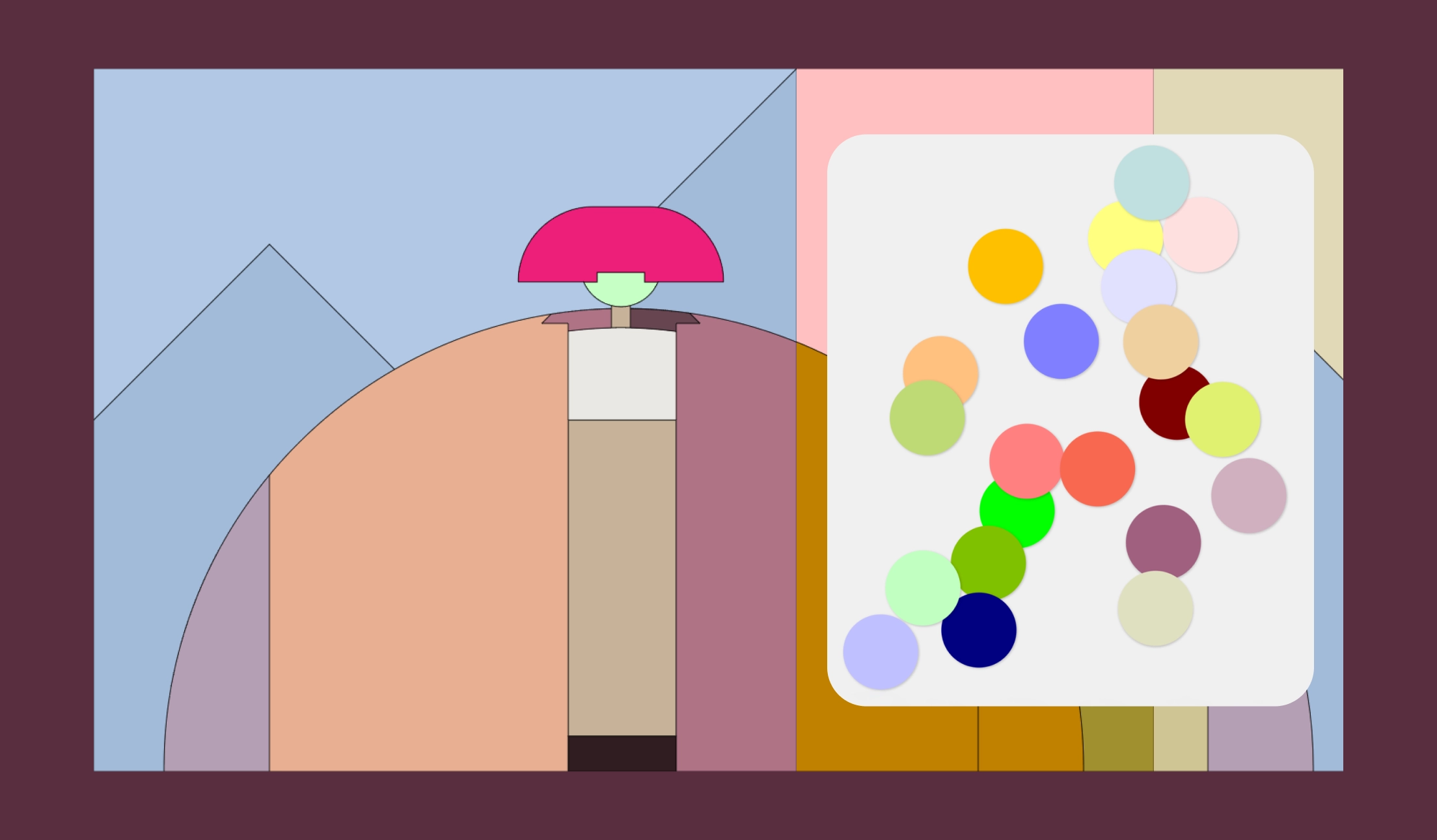
How to Play
I kept the interactions simple: two areas work together, a palette on the right for mixing, and an illustrated canvas on the left for painting.
- Drag two color orbs together on the palette to mix a new color.
- Double-click any orb to select its color.
- Click a shape on the canvas to fill it with the selected color.
- Click Clear to remove all mixed colors from the palette.
- Click Save to download your finished artwork as a PNG.
- Click Restart to reset everything and start over.
Design
Visual Style
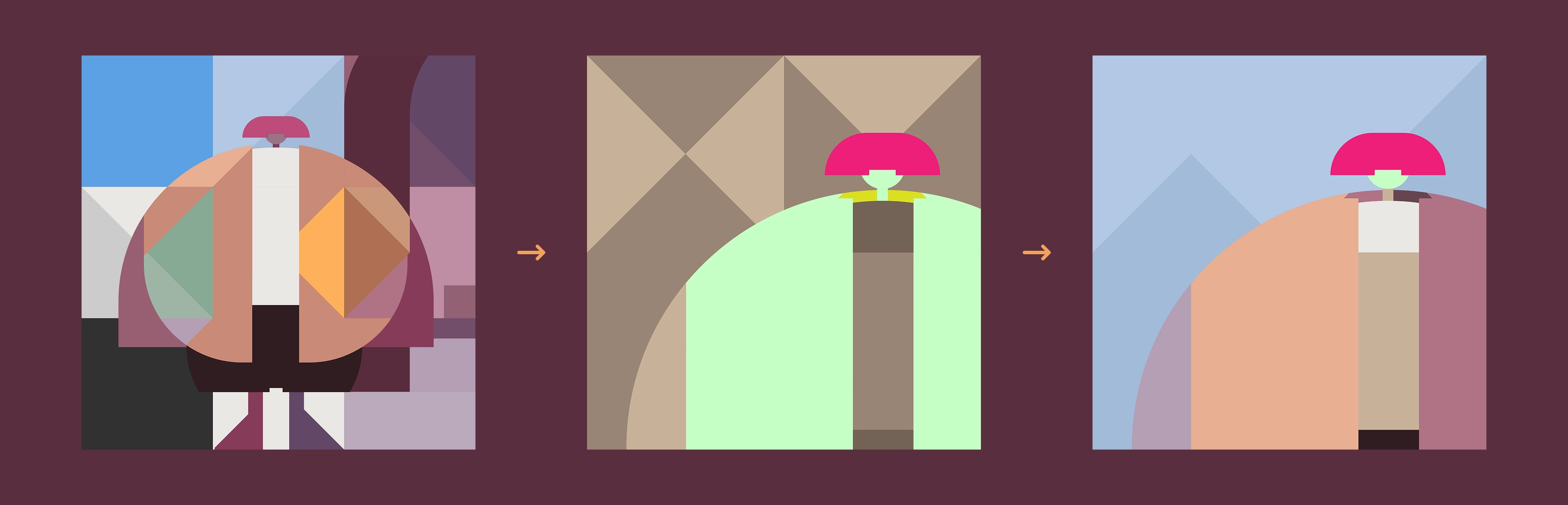
I designed the illustration as a composition of geometric shapes, built to serve as a coloring book for color experimentation. Through several rounds of simplification, I arrived at the flat, pared-down scene in the final version.
Layout
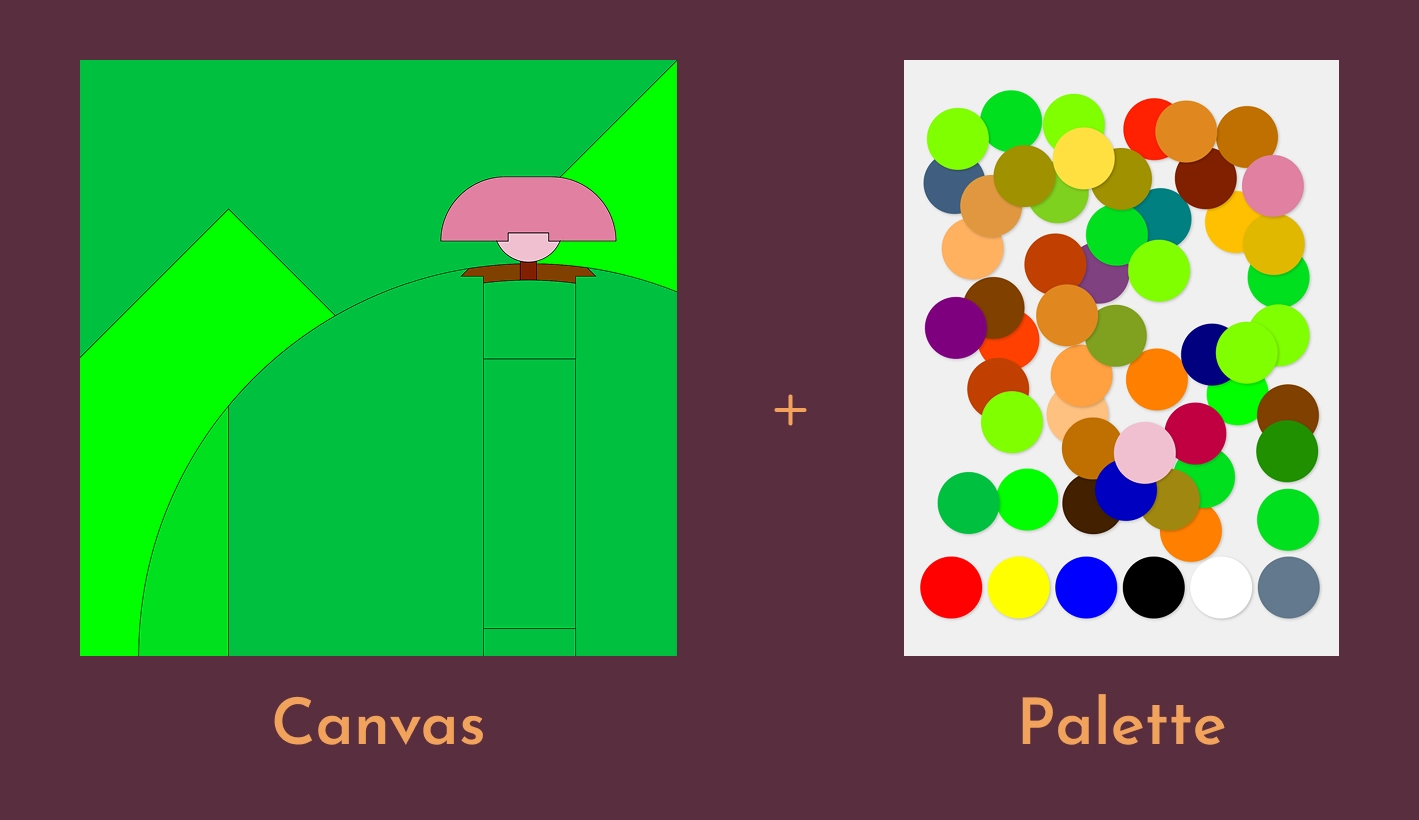
I split the interface into two halves: an illustrated canvas on the left for painting, and a palette on the right for mixing. The two work together as one, so colors mixed on the palette flow directly onto the canvas.
Color Mixing
I tuned the mixing so it behaves like real pigment rather than raw color math, making the result feel intuitive and closer to mixing actual paint.
Closing the Loop
I rounded out the game with three buttons: Clear, Save, and Restart. Small pieces, but they're what make the experience feel complete.
Reflection
This project made me rethink how to plan visual assets from the start. My early approach made the file heavy and slowed things down, but working through it gave me a more thoughtful process later on. The other limitation is responsiveness—the canvas was built for desktop only. Revisiting it today, responsive design would be my first priority.