T1 TimeStream
Overview
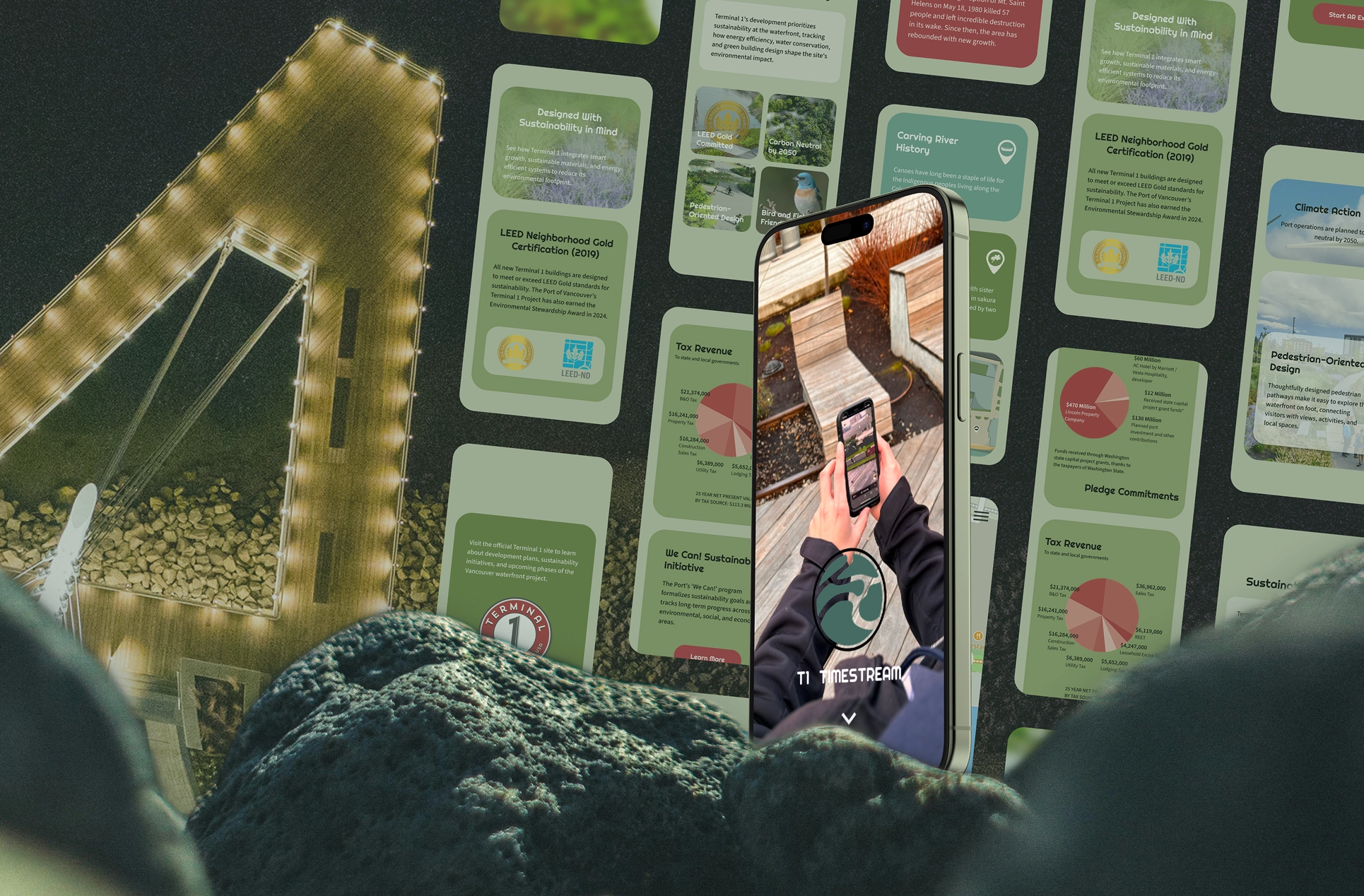
T1 TimeStream is an augmented reality experience created for the Port of Vancouver's Terminal 1, highlighting historical stories along the Rotary Walk at Vancouver, Washington's Waterfront. As part of a three-person Web team and in collaboration with a four-person AR UI team, I designed how visitors first encounter these stories on the web and transition into the AR experience on-site. The core challenge was balancing narrative immersion with clarity across both physical and digital touchpoints.
Constraints
The experience is primarily accessed on-site through mobile devices, requiring clarity and usability on small screens. In addition, many visitors are first-time AR users with no prior onboarding, requiring the interface to guide interaction patterns without external instruction.
Goals
- Make it easier for visitors to browse and compare stories on the website before entering the AR experience.
- Reduce hesitation when transitioning from web browsing into AR launch.
- Keep users oriented on-site by reinforcing location cues within the interface.
Insights
- Early on, our Web team noticed the site's content was difficult to scan at a glance, causing hesitation before visitors selected a story. We restructured it into color-coded visual modules to surface key information and reduce friction.
- We recognized that first-time AR users often hesitate before launching the experience. To ease that transition, we introduced a bridge page that sets expectations and builds confidence before AR launch.
- To help visitors stay oriented between the website and the physical walk, our Web team and the AR UI team each contributed a spatial cue: a map button inside the AR view, and a map section on the website showing every marker and its corresponding story.
Information Architecture
AR Interaction Flow
The flow was structured to minimize entry hesitation, prevent dead ends, and support both AR and non-AR access paths.
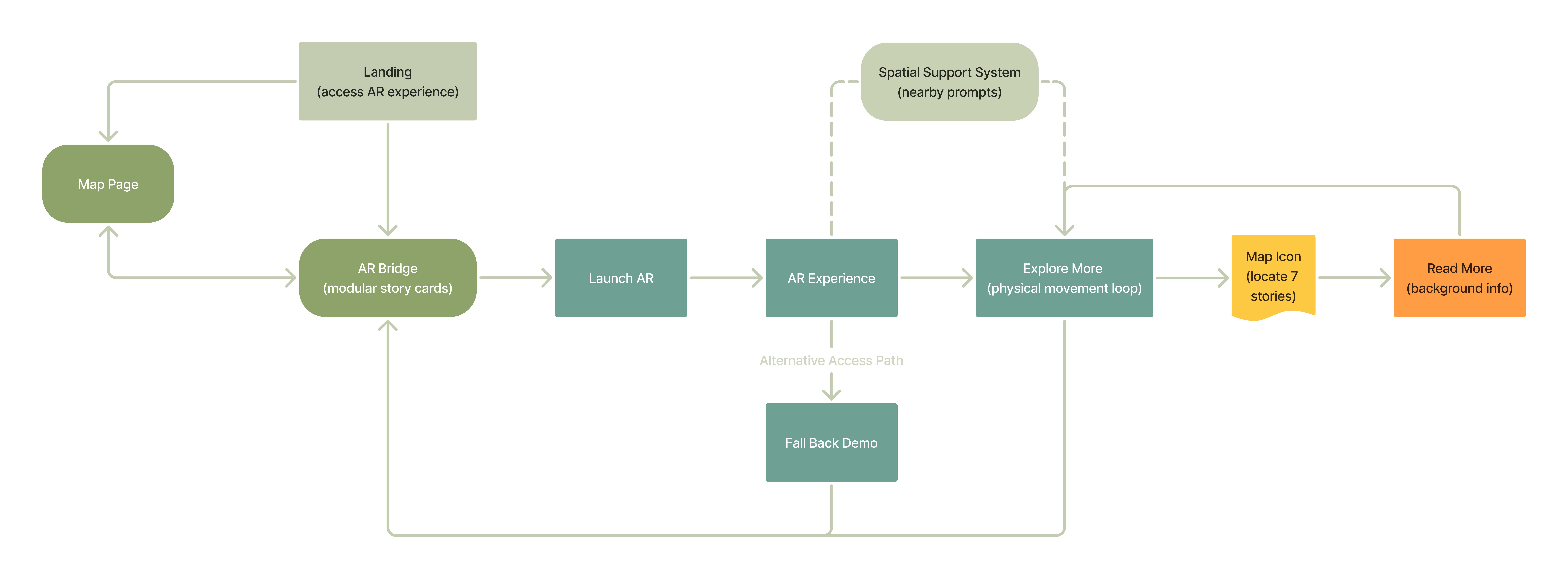
Retrospective flow map, created for this case study to document how users move through the experience
Sitemap
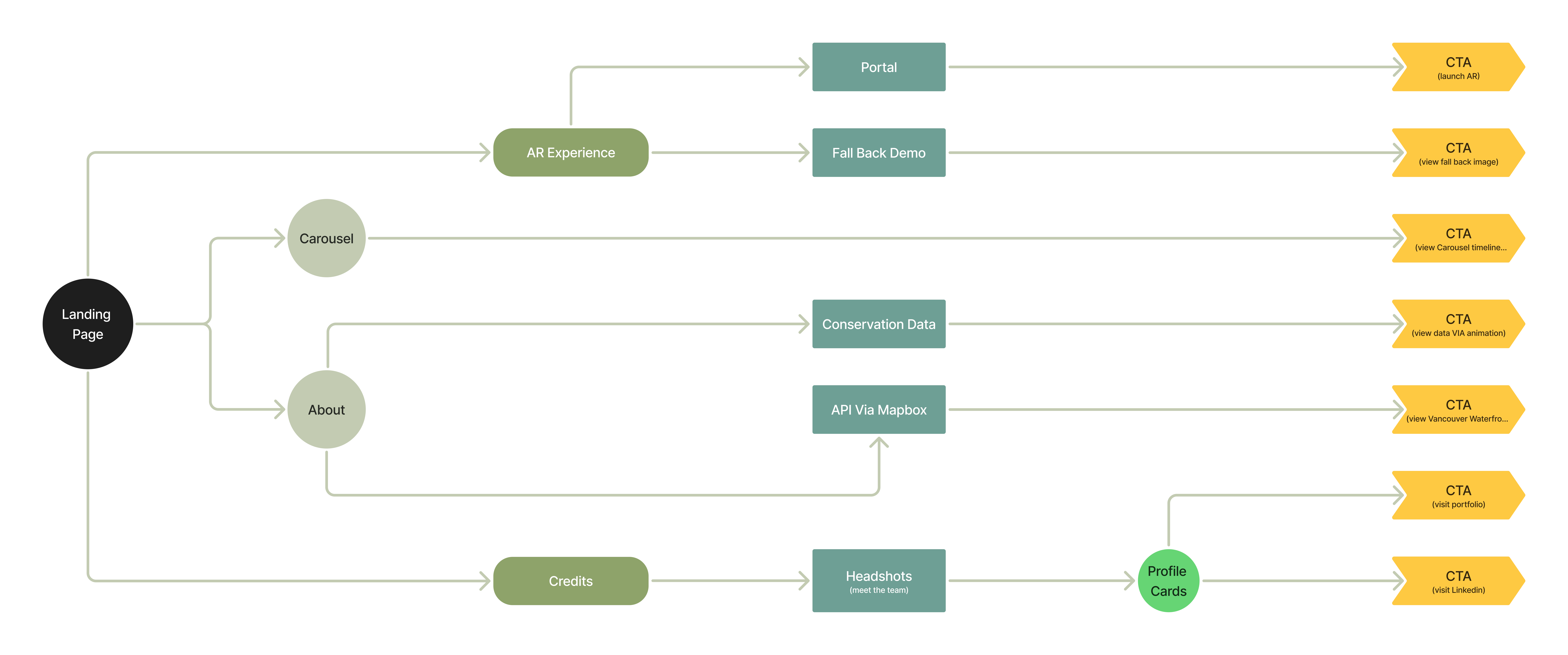
This is the sitemap I designed with my Web team for the overall website architecture, intended to support content browsing beyond the AR experience.
Wireframe
Modular Layout
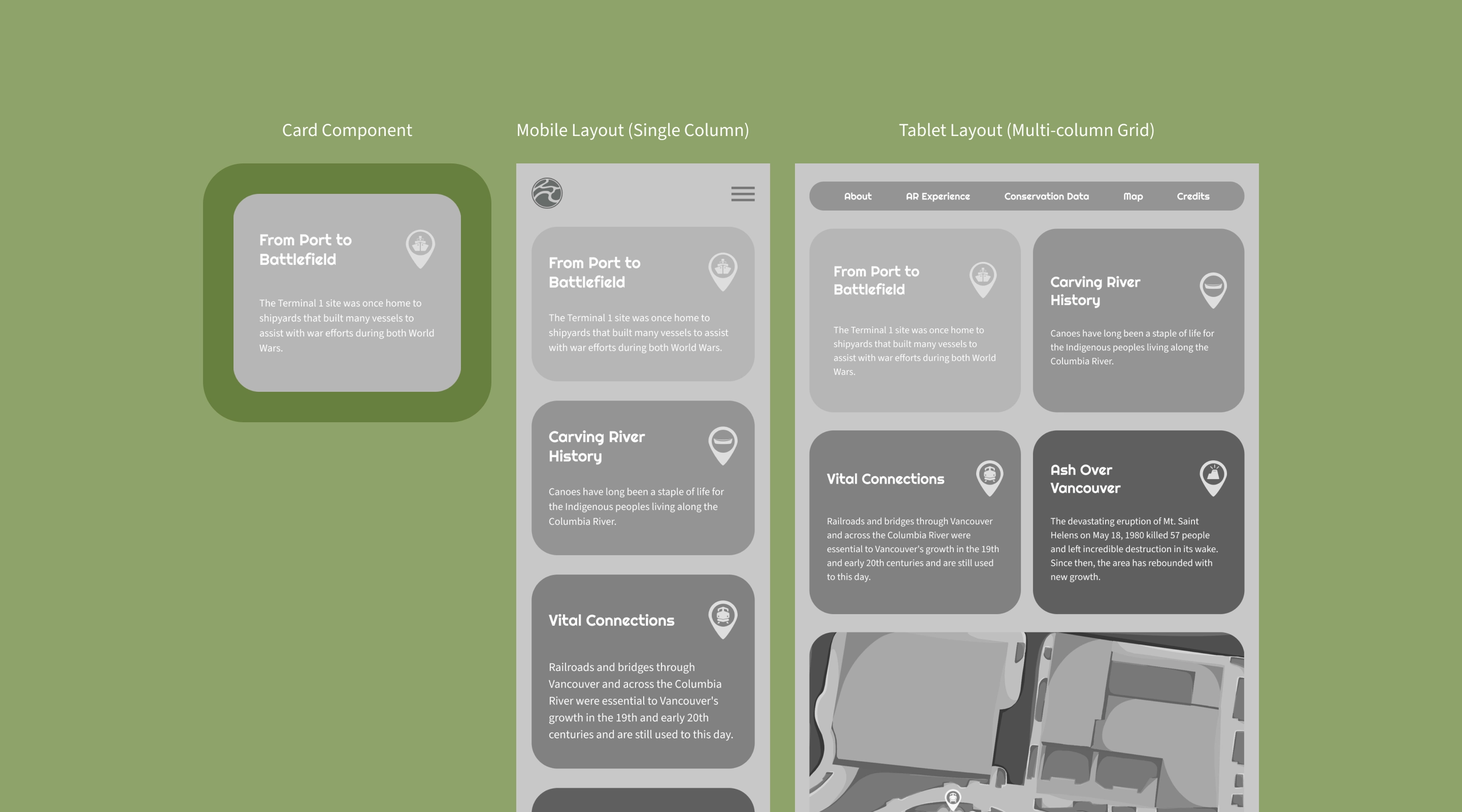
During research, we explored a range of visual approaches and settled on a modular card system. Breaking content into smaller blocks made it easier to read and interact with, especially given the volume of stories on the site.
Bridge
The bridge page is shown below, laying out what visitors see before AR launch.
On-site Orientation
Below is the website's map section, showing every marker and its story so visitors can orient themselves throughout the walk.
Outcome
T1 TimeStream is designed primarily for on-site mobile use, with a responsive layout that extends across mobile, tablet, and desktop. The prototypes below were designed and built by me as part of the Web team, showing three views of the final experience: Full Experience, Browse to AR Entry, and On-site Orientation.
- Full Experience: A quick scroll through the entire mobile website, previewing each section and the bridge page without launching AR.
- Browse to AR Entry: Modular story cards flow directly into a contextual bridge page, reducing hesitation before AR launch.
- On-site Orientation: A dedicated map section on the website and an AR map button work together to keep users oriented throughout the walk.
Desktop Version
Reflection
Looking back, both the Web team and the AR UI team put significant effort into this project. It was our first time working on an AR experience. To help users get comfortable with T1 TimeStream quickly, we focused on three strategies: modular layout, a bridge page, and on-site orientation cues. Revisiting the work for this case study, I still feel these were the right calls.
Within our design timeline, wireframing took up the majority of the Web team's time, which left less room for development than I would have liked. Looking back, I think bringing code into the workflow earlier would have helped, since some issues only surface once a design is actually built. We also designed mobile, desktop, and tablet versions in Figma, but in hindsight the tablet version could have been checked during code testing instead.